
A real Android shell
Interactive `/system/bin/sh` in a PTY. Commands run as the app's unprivileged Android user.
GPU TERMINAL // ANDROID 0.1.0
A real local shell in a GPU-rendered terminal, powered by Cyberterm's Rust engine. No root, account, or network permission.
Android 15 · arm64 · app-private home
cyberterm@device:~ $ uname -o
Android
cyberterm@device:~ $ echo "Hello from Cyberterm"
Hello from Cyberterm
cyberterm@device:~ $
Cyberterm Android brings the terminal engine to the Android app sandbox. It runs a real shell and terminal programs that are available to that sandbox.
Interactive `/system/bin/sh` in a PTY. Commands run as the app's unprivileged Android user.
Same GPU terminal, font rendering, input handling, and configuration engine as the desktop project.
No network or storage permission. Files and configuration stay inside the app's private directory.
This screenshot was captured on a Galaxy S25 Ultra. Cyberterm starts in its writable home directory (~) and runs Android's local shell.
ls, cp, grep, and head work inside app storage. less uses Android's more pager. Stock Android has no sudo; kill is limited to app-owned processes. This app has no Internet permission, so curl and ping cannot reach external hosts.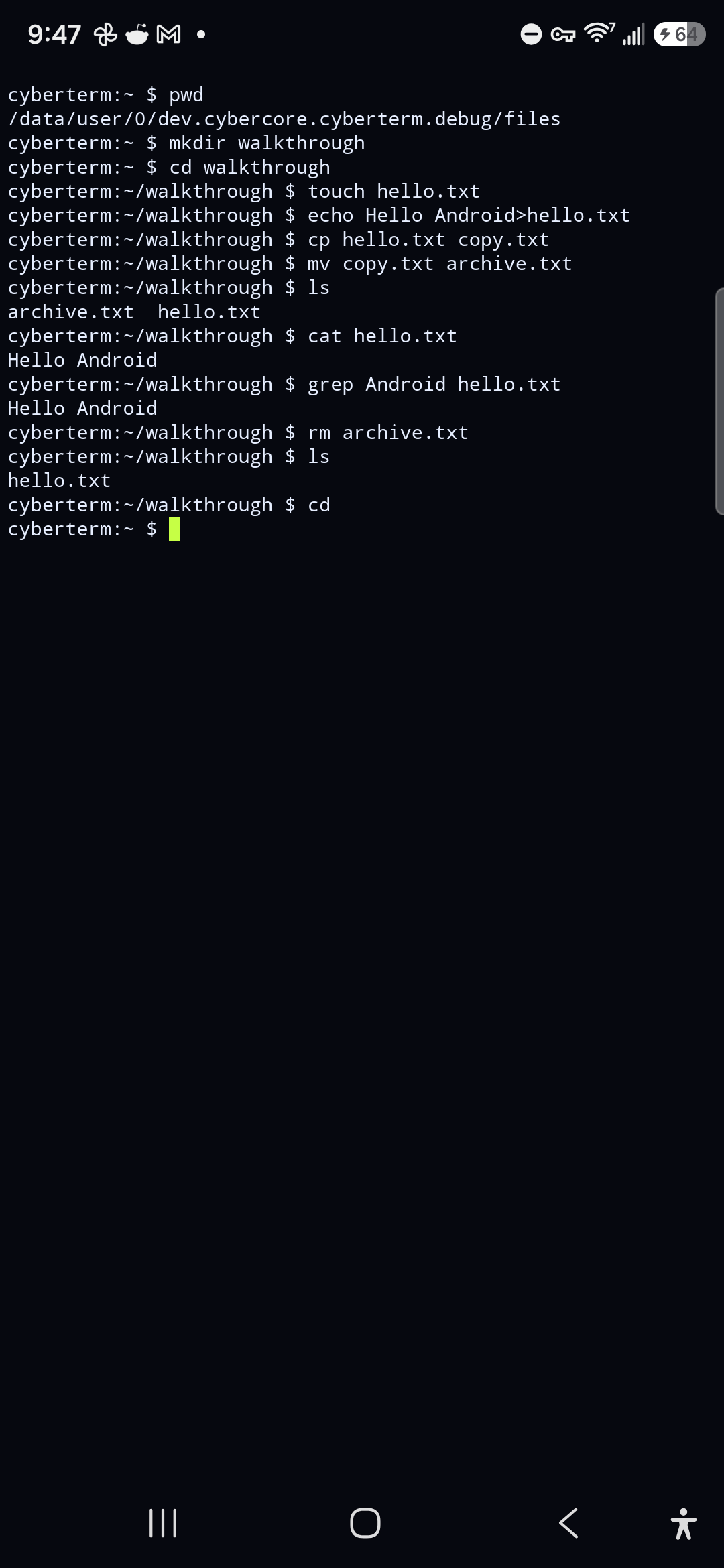
INSTALL // ANDROID 8+
Install from the Cybercore F-Droid repository, or download the APK. Android requires a confirmation before installing an APK downloaded from a browser or terminal.
Requires Android 8.0+ · arm64-v8a or x86_64 · one APK includes both native architectures.
Open F-Droid repo ↗Scan on your phone to open this download page
Release v0.1.0 · SHA-256

curl -fL https://github.com/cybercoretech/cyberterm-android-app/releases/latest/download/cyberterm.apk -o cyberterm.apkFor a connected device with Android platform tools:
adb install -r cyberterm.apkOn the phone itself, open the downloaded APK in Files and approve Android's install prompt.